

Microsoft 365 Tip: How to create a task from Microsoft Teams conversations
Often you get asked to do something by a colleague or a customer in Microsoft Teams, the following tip will help you create a task in To Do so that you don’t forget to action it.
Instructions
So, imagine you receive a request to do something from a colleague in Microsoft Teams, how do you track this request and remind yourself that it needs to be done?
In this example, my colleague in Marketing is asking to whether I had checked the social media posts, I had forgotten to do this but now I can create a task in To Do to remind myself by:
- Hover over the message in chat or the Microsoft Teams channel conversation,
- Choose the …
- Choose More actions
- Choose Create Task

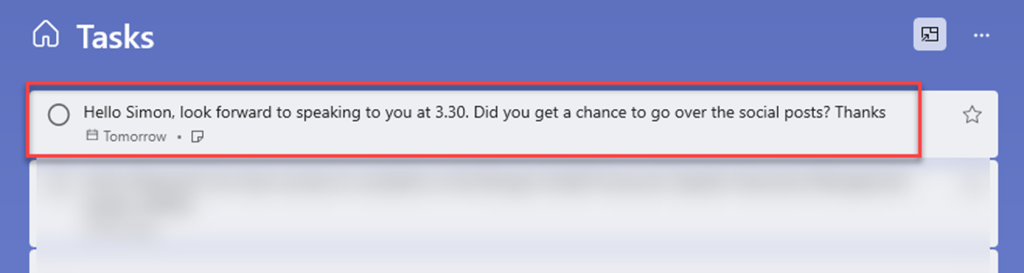
Once create task has been selected, then I have the option to choose which Microsoft To Do list to add the task to. By default it will add it to Tasks.
- Fill in the optional due date and add any extra description
- Click Add task
The task will be added to your Microsoft To Do where you can complete the task once it is done.
Interested to learn more? Get in touch by contacting us here.
Topics
ProductivityRelated knowledge...
-

Beyond the Space “In Between” – Building Your Bridge to Enable AI at Scale
If you’ve watched Stranger Things, you’ll remember the ‘Upside Down’, that shadowy, unknown place that exists alongside our world. It looks familiar; the furniture is in the same place, but…
-

Microsoft 365 Frontier – A First Look at The Future of AI at Work
Artificial intelligence inside Microsoft 365 is evolving at a remarkable pace. New Copilot features and AI “agents” are arriving almost every month, and for many…
-

Real ROI From Agents: What Business Leaders Should Actually Measure
Agents aren’t valuable because they’re clever. They’re valuable because they create a higher‑performing organisation, one where work flows run smoothly, customers get better experiences, and teams can…